Building the Shock Creative hosting admin
Shock Creative hosts websites for its clients, but for a long time there was no system behind it. So I built one, and it is now live: a private admin that signs clients up to Direct Debit, bills each site every month and tells me the moment something goes wrong. Here is why, and how it is put together.
 Ash Readman-Thorley
Full-stack developer
Ash Readman-Thorley
Full-stack developer
Managed hosting is one of the quieter things we do at Shock Creative. We build a client's site, then keep it running on our own servers: updates, backups and someone watching it. The work itself was fine. Everything around it was not.
Hosting with nothing behind it
Hosting arrangements were "set out in your proposal", and that was about it. Payments were collected ad hoc. Setting a client up to pay every month was manual and awkward for both of us. There was no automatic way to know that a payment had failed or that a site had gone down, so problems were only noticed when someone happened to look.
Three things hurt the most, and they became the shape of the app:
Chasing payments. Remembering who had paid, who had not and who needed a nudge.
Knowing a site is up. Finding out about an outage before the client does, and knowing the backups are actually happening.
Easy access. Everything about a client in one place, instead of spread across email, Stripe and Forge.
Press Send, then forget about it
The flow I wanted was simple. I create a Customer, add their Site with a fixed monthly price and a go-live date, and press Send. The client gets an email with a link to a Shock Creative branded page that explains what managed hosting includes, which site it is for, the price and when billing starts. They tick a box to accept the hosting terms, and Stripe Checkout takes them through setting up a Bacs Direct Debit, with card as a fallback. We never see their bank details.
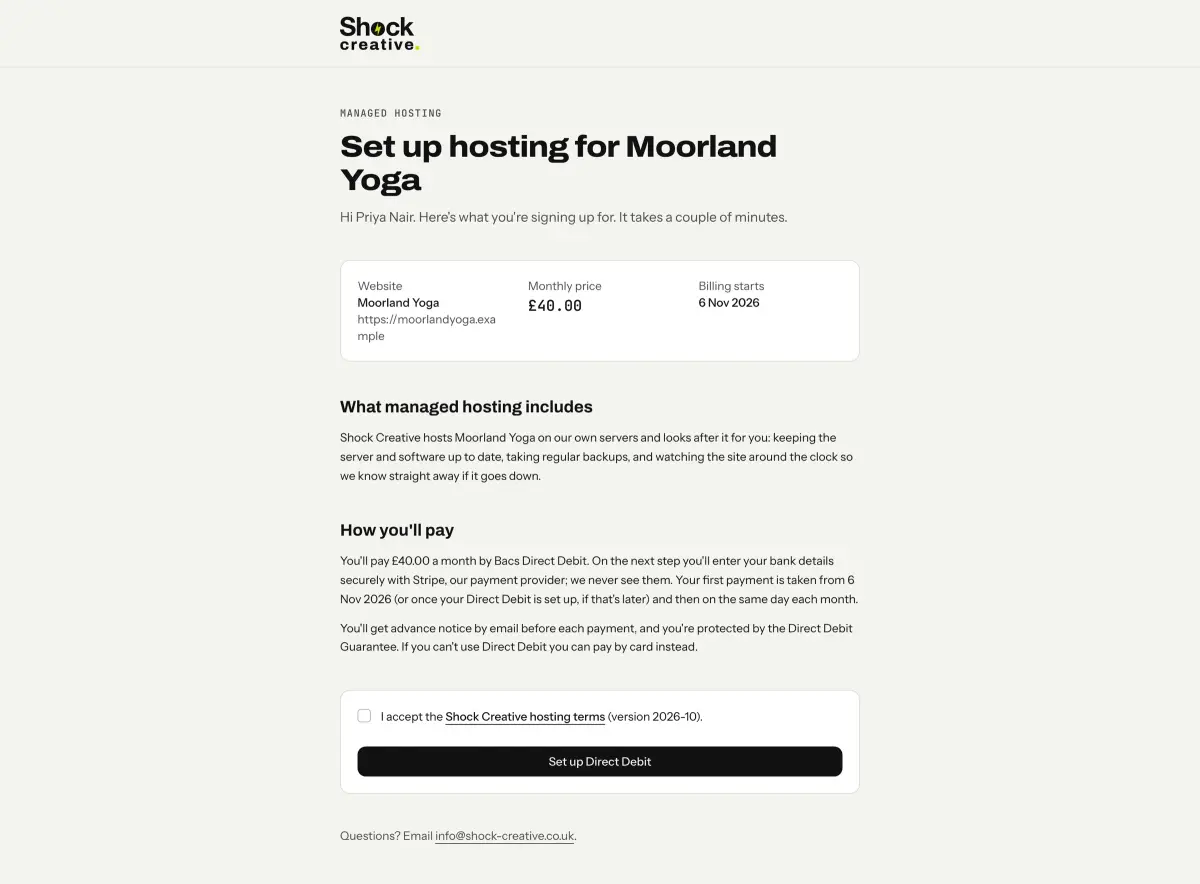
When Stripe confirms the mandate, the Site goes Active and its subscription starts on the later of the go-live date and the mandate, so nobody pays before their site is live or before they have agreed to pay. The accepted terms version, the time and the client's IP address are recorded against the Site. A client who already has a mandate does not see the page again: sending a second Site adds it to their existing Direct Debit and emails them a notice.
No more chasing payments
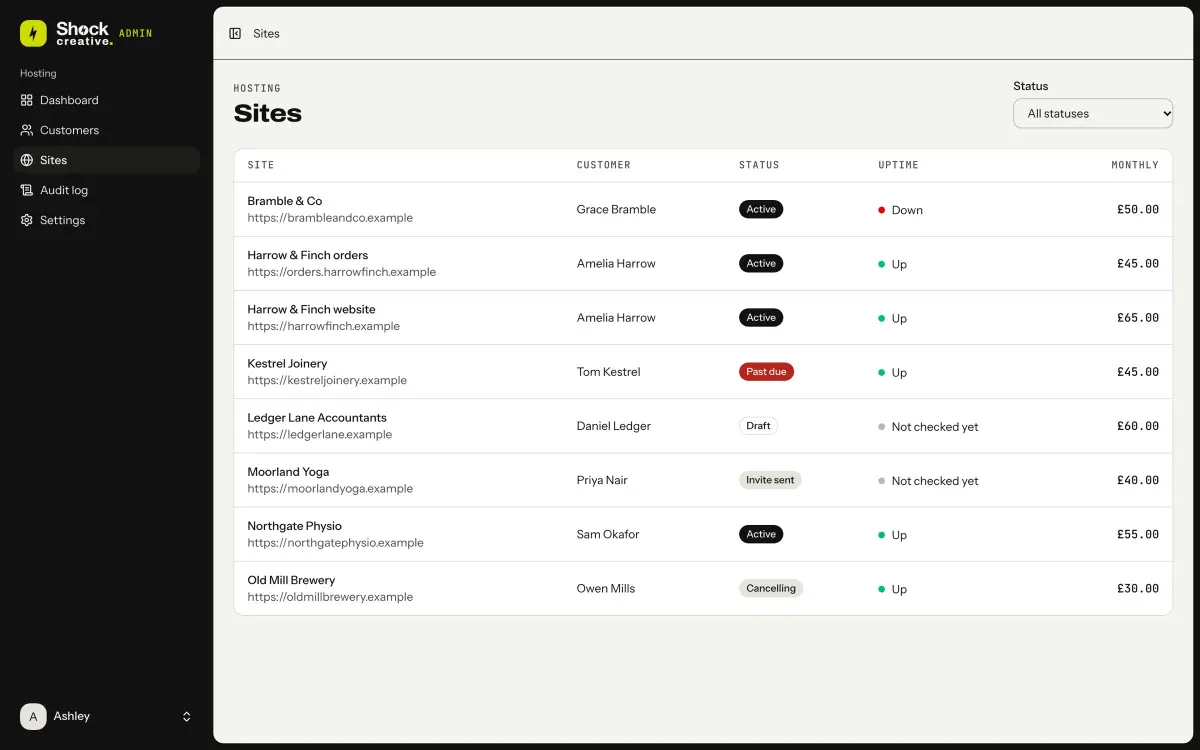
Billing is per Site. Each one has its own Stripe subscription at its own price, so a client with two sites gets two lines that can change, cancel and fail independently. A price change applies from the next billing date with no proration, and the client is emailed the new amount first. Cancelling stops billing at the end of the paid period, and the Site shows as Cancelling until then.
When a payment fails, Stripe emails the client a link to fix it, the Site moves to Past due and I get an email straight away. If it is still Past due after 14 days, I get a second, escalated email. When a later payment succeeds the Site goes back to Active on its own. Nothing happens to a client's site automatically; the app tells me, and I decide.
Knowing when a site is down
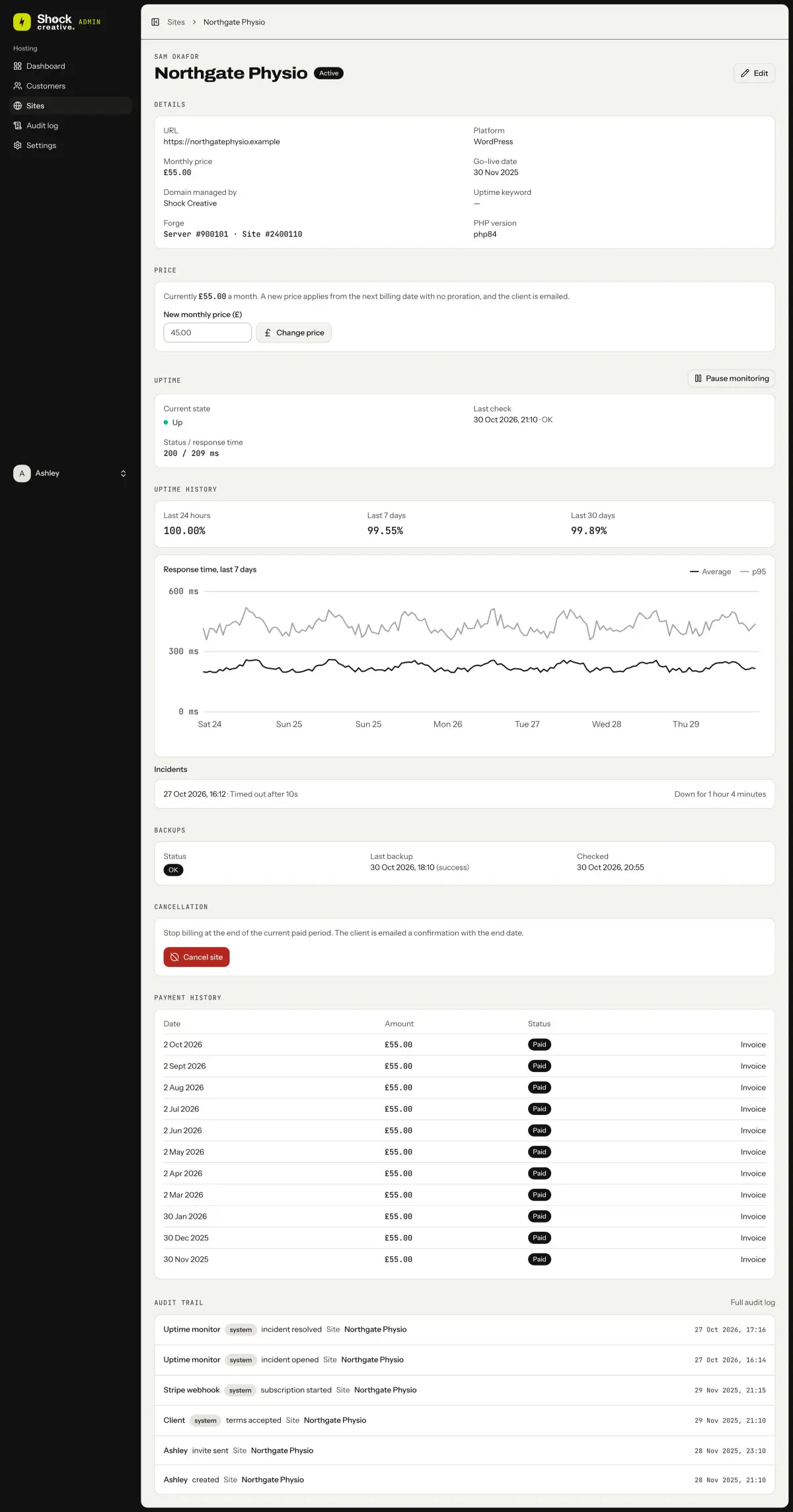
Every Site is checked every 10 seconds. A check fails on a bad status code, a timeout, a connection or SSL error, or an optional keyword missing from the page. One blip is not an outage: a Site only counts as down after three failed checks in a row, which opens an Incident and emails me. When it recovers I get another email saying how long it was down.
Two details I am glad I thought about early. The admin runs on its own Forge server, away from the client sites, so an outage there does not blind the monitor. And if most Sites fail in the same run, the problem is probably the monitor, not the sites, so I get one "possible monitor problem" email instead of a flood. Raw checks are kept for seven days and rolled up into hourly figures, which is what the response time chart on each Site is drawn from.
Backups get the same treatment. Every hour the app reads each Site's latest database backup from the Forge API and emails me once if it is more than 24 hours old or has failed. The Forge integration is strictly read-only: the admin can see my servers but never change them.
Everything in one place
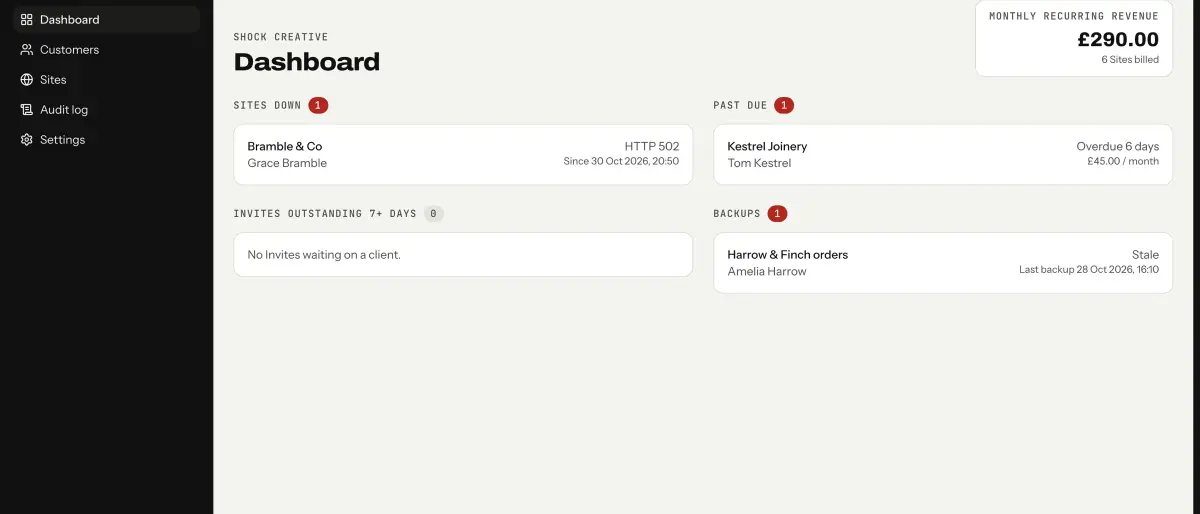
The dashboard answers one question: what needs my attention? Sites that are down, Sites that are past due, invites waiting on a client for over a week and stale or failed backups, each linking to the Site, with the monthly recurring revenue in the corner. A Customer's page holds their Sites, mandate status, payments and history, so answering a client's question no longer means opening three tabs.
Under that sits an audit log. Every create, update, send, price change and cancellation is recorded with who did it, when, and the values before and after, alongside the things the system does itself: a Stripe webhook starting a subscription, the uptime monitor opening an incident, a client accepting the terms. It can be filtered by Customer, so I can reconstruct a client's whole history.
How it is built
It is a standalone Laravel 13 app with Inertia and Vue 3 in TypeScript, built on the Laravel Vue starter kit: Fortify for login, shadcn-vue for components and Wayfinder for typed routes. Stripe comes in through Laravel Cashier, tests are Pest and PHPStan checks the rest. I am the only user, so registration is off and TOTP two-factor is mandatory; until it is confirmed, every page sends you to set it up.
I kept it out of the Statamic marketing site on purpose. That site is flat files whose content is replaced on every deploy, which is the wrong home for billing records. This needed a real database, a queue worker and a scheduler.
Thin controllers, rules in services
The architecture rules are short. Models are data: relationships, casts, scopes and one-line state checks. A business rule such as "can this Site be cancelled?" is a method on a service that takes the model. Controllers only use the CRUD method names; anything else, such as resending an invite, gets its own invokable controller named after the action. Console commands and mailables delegate to the same services, so there is one place for each rule.
A controller validates, calls a service, and returns a response.
Stripe and Forge behind a seam
I do not add interfaces that only have one implementation, with one exception. Every outbound call to Stripe goes through a BillingGateway contract, one Stripe operation per method and no decisions. The real implementation uses Cashier's Stripe client; the tests bind a fake that records each request. Here are a few of its methods:
interface BillingGateway
{
    public function syncCustomer(Customer $customer): string;

    public function createSubscription(Customer $customer, string $priceId, ?CarbonImmutable $billingStartsAt, array $metadata = []): StripeSubscription;

    public function changeSubscriptionPrice(string $subscriptionId, string $itemId, string $priceId): StripeSubscription;

    public function cancelSubscriptionAtPeriodEnd(string $subscriptionId): StripeSubscription;
}
That means a test can act as the Admin, the client or Stripe, then assert what the app asked Stripe to do: which price, which billing start date. Webhook tests post realistic Stripe event payloads, and the webhook handler is idempotent on the event ID. The ForgeClient and the uptime probes are faked at the HTTP edge with canned responses for success, a 500, a timeout, a missing keyword and an SSL error, and time travel covers the go-live dates, the seven-day invite reminder and the 14-day escalation.
A state machine for every Site
A Site moves from Draft to Invite sent to Active, between Active and Past due, and through Cancelling to Cancelled. Those transitions only happen through the Sites service, and each one writes an audit entry, which is how the audit log stays complete without anyone remembering to fill it in. Cancelled Sites are kept, not deleted, so their history stays too.
What it changed
The difference is mostly in what I no longer do. I do not keep a mental list of who has paid. I do not check sites by hand or wonder whether last night's backup ran. When something needs me, I get an email, and the dashboard shows it until it is fixed.
There is more about the screens and the flow in the Shock Creative Admin case study.
- Laravel
- Stripe